
4 Common Problems When International Visitors Wait in Line
The rules for joining the line don't get across
The common Japanese practice of "write your name and party size on the sheet at the entrance, then wait" isn't familiar to everyone.
- Visitors miss the sign-up sheet and simply stand in line
- They aren't sure whether to write their name in Latin letters, or where to put the party size
- While staff explain with gestures, seating inside stalls
Explaining how to join the line becomes a job in itself, and it gets harder to keep up exactly when the shop is busiest.
Calling out names doesn't work
Reading out names from a sign-up sheet is especially hard for international customers.
- Handwritten names are hard to read, or staff aren't sure how to pronounce them
- Customers don't recognize their own name when it's pronounced differently
- Unsure whether they've been called, they can't step away from the shop
The result: "we called them but they didn't come" — when they were actually nearby — and the next group's seating gets delayed too.
"How much longer?" is hard to ask and hard to answer
Not knowing how the line is moving is the biggest source of stress for people waiting. With a language barrier, even asking becomes a hurdle. And for staff, explaining in a foreign language how many groups are ahead and which number was just called isn't easy either.
Preparing signs in every language takes work
Trying to prepare separate signs or QR codes in English, Korean, and Chinese means:
- Arranging translations and remaking your printed materials
- Customers getting confused about which of several QR codes to scan
- Updating every language each time you change a notice
Small shops in particular tend to keep putting it off.
4 Things to Look for in a Multilingual Queue Reception
When choosing a tool or setting up your operation, check these four points.
① It opens in the customer's phone language automatically
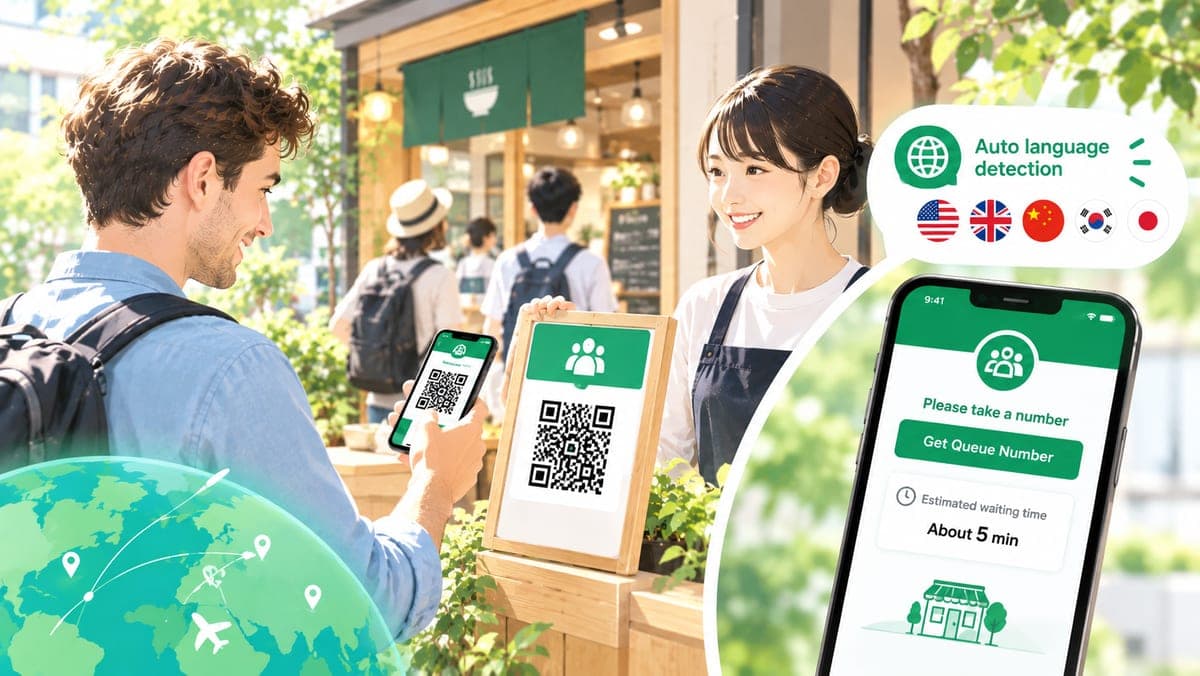
You can go multilingual by asking "Please choose your language" on the first screen, but the smoothest approach is for the screen to open in the customer's own language from the start, based on their phone's language settings. Customers join the line without choosing anything.
② One QR code works for everyone
Splitting QR codes by language adds more signs and leads to scanning the wrong one. When every customer, from any country, scans the same QR code, your storefront stays simple while still supporting multiple languages.
③ Call by number and phone notification, not by name
When calling doesn't depend on reading out names — and relies instead on the ticket number and a notification sent to the customer's phone — the language barrier mostly disappears. Numbers work in any language, and if the notification text is in the customer's language too, nobody misses their call.
④ Queue progress is visible as numbers
It also helps when progress is understandable from numbers alone: "your number," "you are #X in line," and "groups waiting." Customers can check their status on their own phone without asking staff.
What Queueue's Multilingual Support Does
Here's a closer look at the multilingual support in Queueue, a free queue system that requires no sign-up. It's designed to cover the four points above with no extra work for the shop.
The customer reception screen supports 5 languages
The customer reception screen (the screen that opens after scanning the QR code) is available in these 5 languages:
- 日本語 (Japanese)
- English
- 한국어 (Korean)
- 繁體中文 (Traditional Chinese)
- 简体中文 (Simplified Chinese)
Everything on the reception screen — entering party size, the ticket number and position in line, canceling, and notices such as "outside business hours" or "reception closed" — appears in each language.
It switches automatically based on phone language settings
The reception URL and QR code don't include a language. When a customer scans the QR code, Queueue checks the phone's (browser's) language settings and picks the display language automatically.
- A phone set to Korean opens in Korean; one set to English opens in English
- For Chinese, Traditional vs. Simplified is determined from the script setting or region (Taiwan, Hong Kong, and Macau get Traditional)
- Phones set to an unsupported language (such as Thai) see English
Customers can also switch to another language at any time from the language switcher in the bottom-right corner. For details, see Multilingual support for international customers.
Call notifications arrive in the customer's language
Customers who allow Web Push notifications receive their call in the language they were viewing on the reception screen. The same goes for the "marked as no-show" notification when they don't respond. Tapping the notification opens the reception screen in that same language.
On the shop side, staff simply press "Call next party" on the admin dashboard as usual. There's no need to think about which language each customer uses.
Multilingual instructions on printed QR codes and the poster screen
The QR code print page and the poster screen include a one-line scan instruction in English, Korean, and Chinese below the main "scan to join" message, so customers who see the QR code know that scanning it is how they get in line.
Previously printed QR codes still work
QR codes printed with earlier versions of Queueue may contain the URL of the Japanese page. When a customer with a non-Japanese phone accesses one of these, the reception screen shows a language switch suggestion in the customer's language at the top, such as "View this page in English?" — so you can guide visitors to their own language without reprinting.
What's covered
The multilingual support focuses on the screens customers use. Check the following before you start:
- The 5-language support applies to the customer reception screen. Shop-side screens such as the admin dashboard and QR code print page are available in Japanese and English
- The shop name and custom message are not translated automatically. They're shown exactly as the shop entered them
Create a 5-language reception page from one QR code — for free
Create your shop for freeHow to Start a Multilingual Reception with One QR Code
Step 1: Create your shop
Just enter your shop name on the top page, and your admin dashboard and customer reception URL are issued right away. No account sign-up or credit card required, and no extra setup for multilingual support.
Step 2: Post the QR code
Open the QR code print page from the admin dashboard and post it at your entrance or storefront. There's only one reception URL and QR code, shared by all languages (see About the reception URL).
If you have a tablet or display, showing the poster screen at the storefront works well too. Alongside the QR code, it shows the current number being called, the number of groups waiting, and recent calls in large text — progress comes across in numbers, even without a shared language.
Step 3: Call by number
- Customers who join appear in the admin dashboard list with their number, party size, and time joined
- "Call next party" calls groups in order. The call is shown and sent as a notification on the customer's phone, in their language
- Mark groups "Complete" when they arrive, or "No-show" if they don't come
Because calls are made by number rather than name, mix-ups like "we didn't know how to read the name" or "they didn't realize they were called" become much less likely.
Tips for Shops with Many International Visitors
Write your custom message in both Japanese and English
The custom message shown on the waiting screen isn't translated automatically, so if there's something you want to tell customers, write it briefly in both Japanese and English. For example: "呼ばれたら入口のスタッフに番号を見せてください / Please show your number to our staff when called." Keep it to one or two sentences about what to do (up to 200 characters).
Use staff entry for customers who can't use their phone
Some customers' phones may be out of battery, or their foreign SIM may not connect. In those cases, use staff entry (proxy registration) to add them from the admin dashboard. Enter a name and party size, and they'll be managed in the same line as customers who joined by QR code. Writing their number on a slip of paper makes it easy to call them by number too.
Mention notifications in a word or two
After joining, the screen shows a prompt to allow Web Push notifications. Simply pointing at the screen and saying "Notification ON" makes it easier for customers to wait away from the storefront.
Note: to receive Web Push notifications on iPhone (iOS Safari), the reception page must be added to the home screen first. Even without notifications, if the reception screen stays open, it alerts the customer on screen the moment they're called.
Frequently Asked Questions
Q. Which languages are supported?
The customer reception screen supports 5 languages: Japanese, English, Korean, and Chinese (Traditional and Simplified). It opens automatically in the language set on the customer's phone, and customers can switch languages anytime from the bottom-right corner of the screen.
Q. Do I need a separate QR code for each language?
No. There is a single reception URL and QR code shared by all languages. The display language is decided when the customer scans it, based on their phone's language settings.
Q. What happens for customers whose language isn't supported (e.g. Thai)?
Phones set to a language that doesn't match any of the 5 supported languages see the screen in English. Customers can also pick another language from the switcher in the bottom-right corner.
Q. Are the shop name and custom message translated too?
No. The shop name and custom message are shown exactly as the shop entered them, without automatic translation. If you want international customers to understand a notice, we recommend writing it in both Japanese and English.
Q. Is the admin dashboard multilingual too?
Shop-side screens such as the admin dashboard and the QR code print page are available in Japanese and English. The 5-language support applies to the reception screen that customers use.
Summary
A queue that works for international visitors comes down to three things:
- The reception screen opens automatically in the customer's phone language
- One shared QR code, with no extra signs per language
- Calling by number and phone notification, with progress shown as numbers
With Queueue, you can do all of this for free, with no extra setup. Why not spend the time you used to spend explaining the line on seating guests instead?
For queue management at restaurants in general, see our restaurant line management guide. If you're switching from paper tickets, read how to go digital with numbered tickets, and if you're curious how other tools compare, see our queue system comparison guide. You can see the customer-side flow on the How it works page.